Slack Time Tracking That's 100% Passive
Slack has become the digital headquarters for millions of professionals. Teams collaborate, make decisions, answer client questions, resolve technical issues, and coordinate projects—all inside Slack. Yet despite the significant amount of work performed there, much of that time often goes untracked. Traditional time tracking methods rely on timers, manual entries, or end-of-day estimates, which can result in lost billable hours and incomplete activity records.
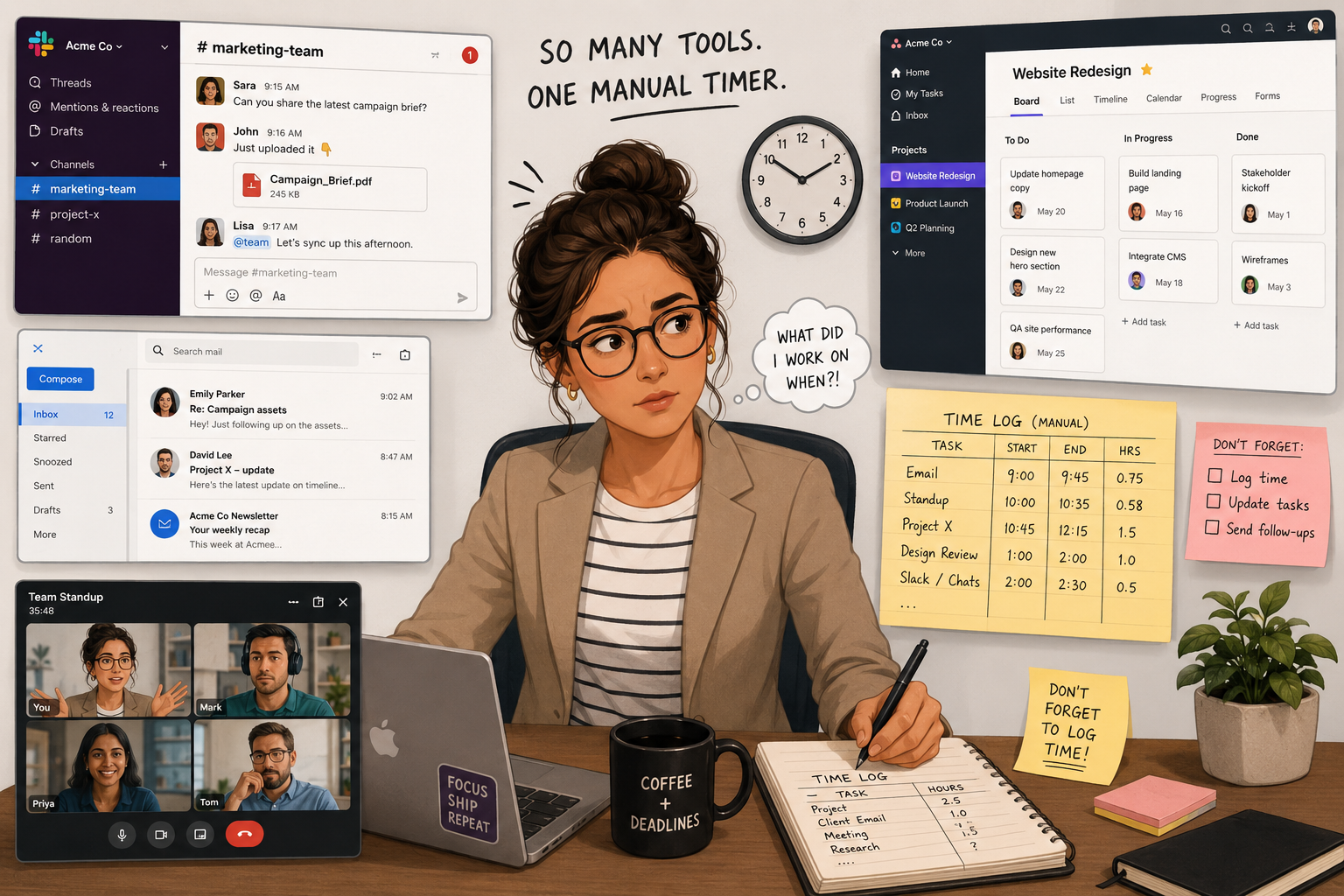
The Hidden Problem with Slack Time Tracking
For consultants, attorneys, accountants, agencies, software developers, and other knowledge workers, Slack conversations often represent real work. A five-minute client response can prevent a project delay. A twenty-minute discussion in a technical channel may solve a critical production issue. Internal project planning often takes place entirely within Slack channels.
Unfortunately, few professionals remember to start a timer before opening Slack. Even fewer remember to stop it when switching tasks. As a result, Slack-related work frequently disappears from timesheets.
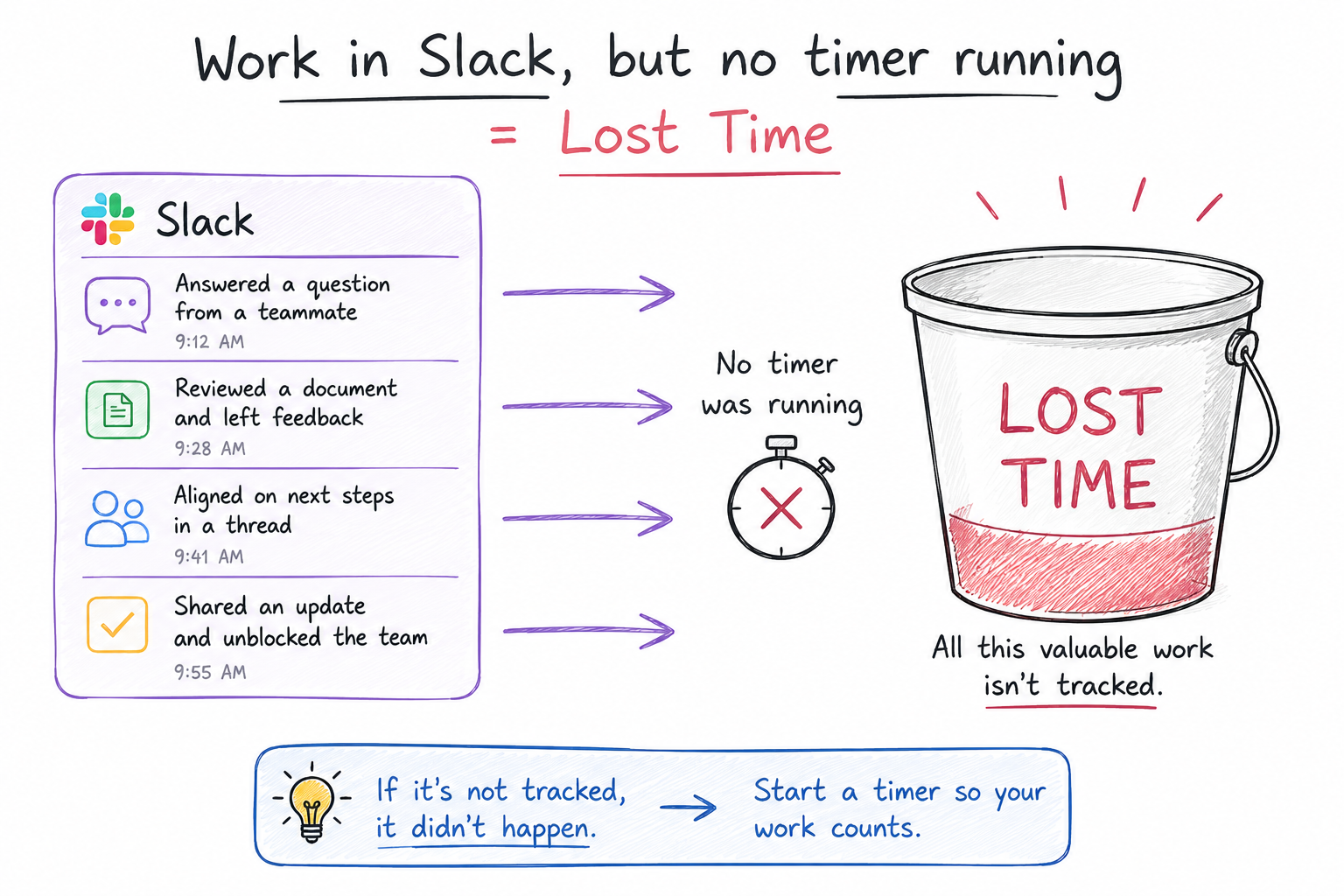
Why Traditional Time Tracking Falls Short
Traditional time tracking solutions were designed around a simple assumption: users will remember to track their own time. In reality, professionals are focused on serving clients, collaborating with colleagues, and solving problems—not managing timers.
Common challenges include:
- Forgetting to start timers
- Forgetting to stop timers
- Switching between multiple Slack channels throughout the day
- Estimating time after the work is complete
- Losing small but billable interactions
- Creating inaccurate timesheets
The more fragmented the workday becomes, the harder it is to accurately capture time using manual methods.
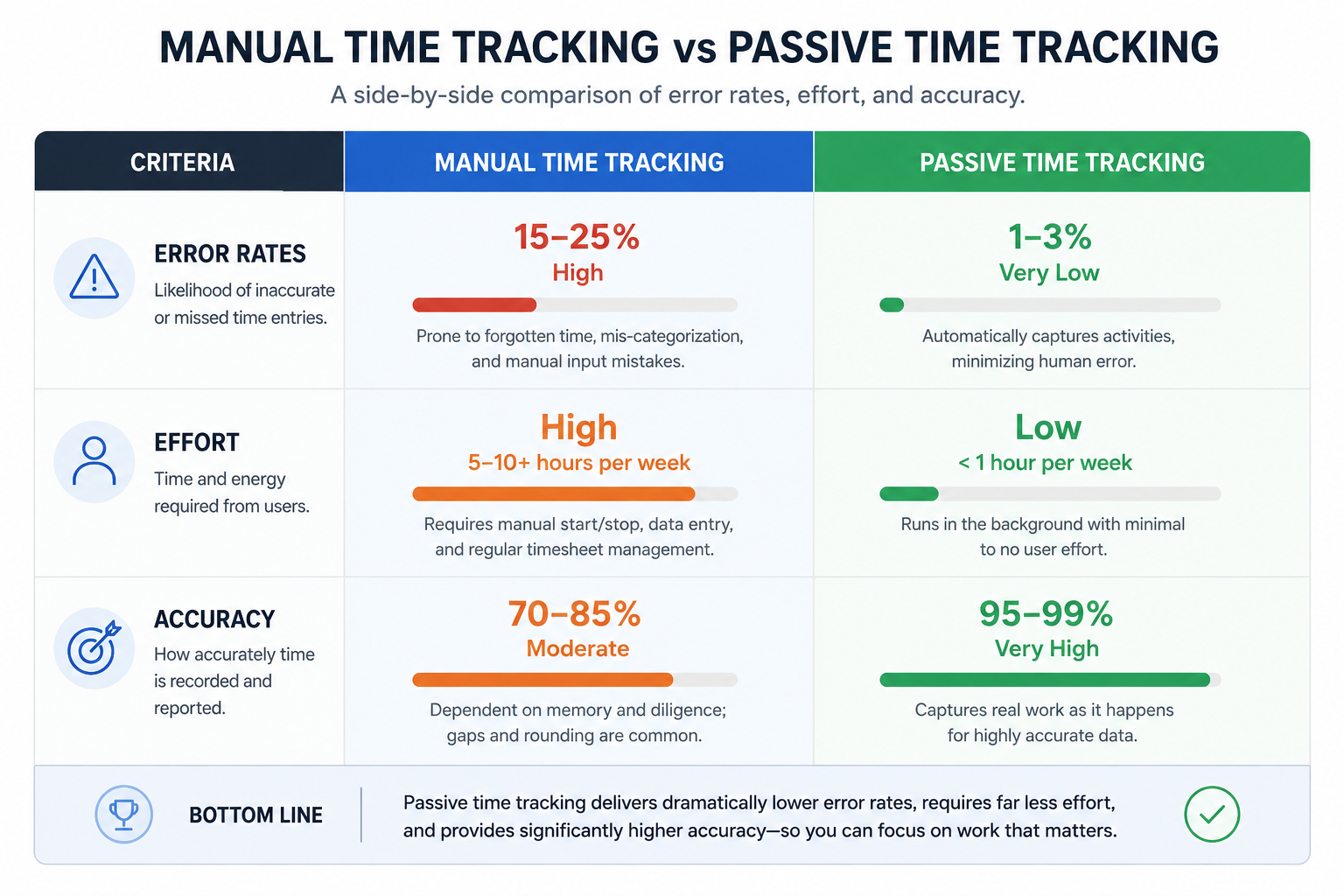
What Does 100% Passive Time Tracking Mean?
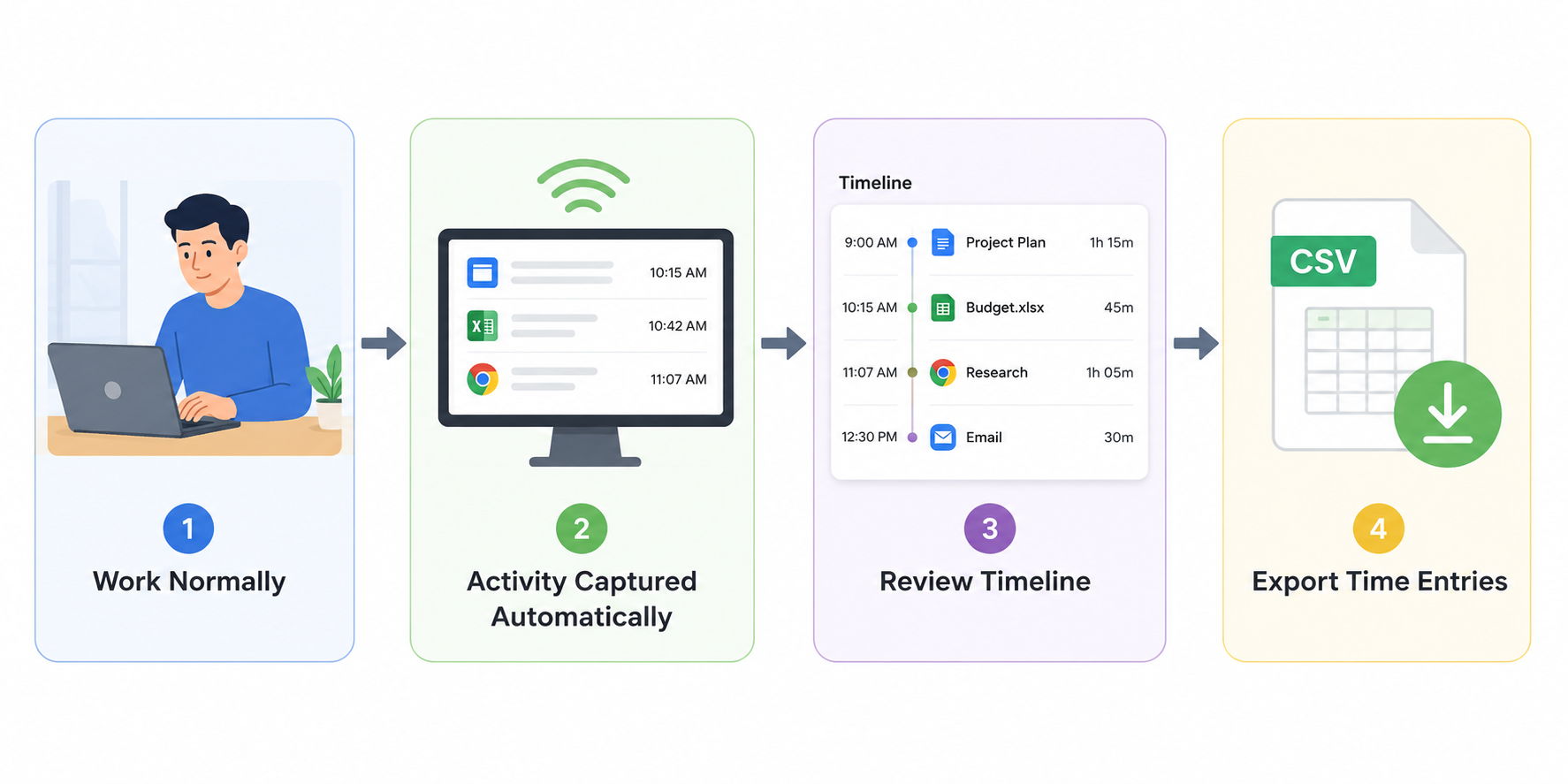
Passive time tracking removes the burden of time capture from the user. Instead of asking professionals to start timers or enter activities manually, the software observes actual computer activity and automatically creates a detailed timeline of work performed throughout the day.
With passive tracking, users simply work normally. The system captures activity in the background, creating a complete record of how time was spent.
This approach offers three major advantages:
- Higher accuracy
- Reduced administrative overhead
- More complete visibility into work activities
Introducing Chrometa's Slack Integration
Chrometa extends passive time tracking into Slack through its automatic activity monitoring capabilities. Instead of relying on timers, Chrometa captures Slack activity as it happens, allowing professionals to see exactly where their time was spent.
The result is a more complete and accurate picture of daily work.
Whether you're responding to clients, collaborating with your team, managing projects, or troubleshooting issues, Slack activity becomes part of your automatically generated timeline.
Capture Time Spent on Each Slack Channel
One of the most valuable aspects of Chrometa's Slack integration is the ability to identify activity associated with individual Slack channels.
Rather than seeing a generic "Slack" entry, users gain visibility into how time was distributed across different conversations and projects.
For example, time spent in:
- #client-acme
- #marketing
- #support
- #engineering
- #project-launch
can be distinguished and reviewed separately.
This level of detail makes it easier to understand where effort is being invested and provides valuable context when reconstructing work performed during the day.
Improve Billing Accuracy
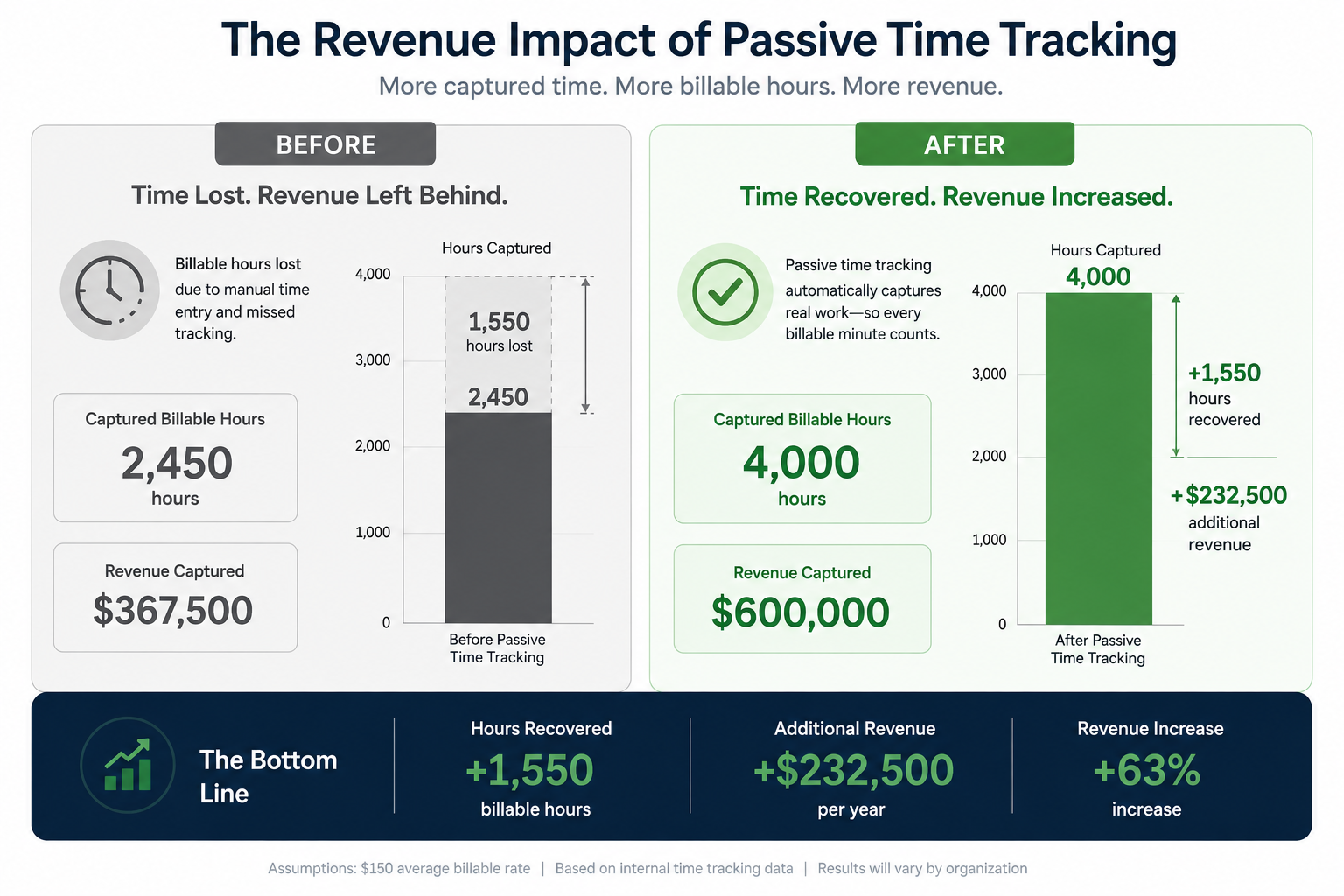
For client-facing organizations, accurate time tracking directly impacts revenue. Small Slack interactions may seem insignificant individually, but they add up quickly over the course of a week or month.
Client questions, project discussions, status updates, and problem-solving sessions frequently occur within Slack channels. When these activities are not tracked, valuable billable time can be lost.
By automatically capturing Slack activity, Chrometa helps ensure that work already performed is visible and available for review before invoicing.
Gain Better Visibility Into Team Workflows
Slack activity also provides valuable operational insights. Managers and professionals alike can better understand how communication patterns impact productivity.
Questions such as:
- Which projects generate the most discussion?
- How much time is spent supporting clients?
- Are certain channels becoming productivity bottlenecks?
- Where is collaboration consuming the most effort?
become easier to answer when Slack activity is automatically recorded and organized.
Reduce Administrative Work
Time tracking should not become another task on an already busy to-do list. Professionals want to focus on delivering value rather than documenting every minute manually.
Passive tracking significantly reduces the administrative burden associated with traditional timesheets. Instead of trying to remember everything that happened during the day, users can simply review automatically captured activities and make adjustments if needed.
This approach not only saves time but also increases confidence in the accuracy of reported work.
Built for Modern Knowledge Work
Today's professionals rarely work in a single application. A typical day may involve moving between Slack, email, web browsers, documents, project management systems, CRM platforms, and video meetings.
Chrometa was designed to capture this reality. Slack activity becomes one component of a broader activity timeline that helps users understand how their day was actually spent.
By automatically capturing work across applications, Chrometa provides a more complete picture of productivity than traditional timer-based approaches.
Conclusion
Slack has become one of the most important places where modern work happens, yet much of that time often goes untracked. Traditional timers and manual timesheets struggle to keep pace with today's fast-moving, communication-driven workflows. Chrometa's passive approach changes that by automatically capturing Slack activity as it happens, helping professionals gain greater visibility into their work without disrupting their day. With the ability to identify time spent in individual Slack channels, improve billing accuracy, reduce administrative effort, and create a more complete activity timeline, Chrometa helps users understand where their time truly goes. Instead of tracking time manually, professionals can focus on their work while Chrometa handles the capture process in the background.
Call to Action: Ready to see how much valuable work is happening inside Slack? Start your free Chrometa trial today and discover how passive time tracking can help you capture more billable time, improve productivity insights, and eliminate the hassle of manual timesheets.
Similar Stories


Enterprise
5 Resources to Boost Your Freelance Productivity
The modern freelancer has a lot of plates to spin on a daily basis in order to succeed – and there never seems to be enough hours in the day. Those that use their limited time most efficiently will blow past the competition and make an impact in their chosen market. . Read More

Enterprise
6 Tips to Maintain a Healthy Work-Life Balance during COVID
Confinement, lockdown, quarantine, shelter-in-place… .... Read More